


Quick Answer
Release cosmetic bottle artwork as a controlled packet, not an unlabeled attachment. Identify the bottle and printable zone, the exact artwork version, each intended colour or effect, and the physical proof that represents it. Record who approves text, position and appearance, then withdraw superseded files from production use. A new filename alone does not establish which design was authorised.
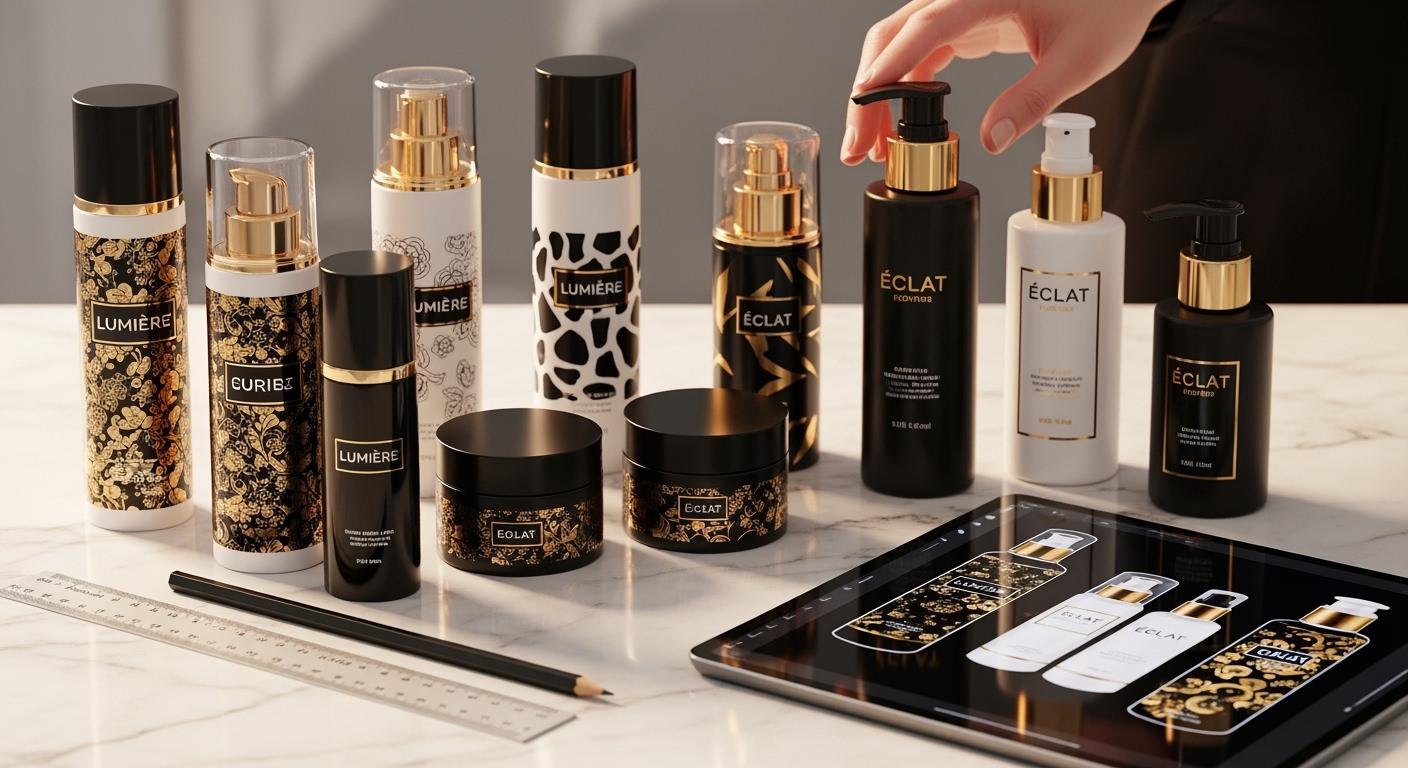
A brand may approve a PDF while a decorator holds an earlier editable file and purchasing uses a quotation referring to neither. Each document looks plausible in isolation. This article describes an artwork release workflow for brands, fillers and wholesalers; it is not a claim that a particular file format guarantees correct decoration.
Identify the component before the file
Record the bottle, collar, cap or other decorated part and its drawing revision. State which surfaces receive artwork and which remain clear. The full package can include several separate decorated components, so one front-view mockup should not be the only source for their individual positions.
Ask the decorator for the proposed usable zone, orientation reference and any excluded features. Review seams, shoulders and closure overlap on the selected assembly. Use the logo decoration discussion to frame the proposed route, but obtain dimensions and process limits for the actual component rather than copying generic printing claims.
Build one release packet
Give the artwork a project reference, revision and release date. Name the included files and their purposes: editable source, approval view, colour/effect instructions and position drawing where needed. Ask the decorator what it requires for fonts, images and layers. Do not assume that a flattened approval PDF contains the production information a particular route needs.
Keep the text owner visible. Ingredient text, claims, warnings and market-specific content should be approved by the brand’s responsible team. A packaging decorator checks its production scope; it does not become the authority for every finished-product statement merely because it places that statement on a bottle.
| Packet item | Identity to preserve | Approval question |
|---|---|---|
| Component | Part and drawing revision | Is this the decorated surface? |
| Artwork | File reference and version | Is content final for this release? |
| Colour/effect | Named layer and appearance reference | What does each separation represent? |
| Position | Zone and locating reference | How is front/back orientation defined? |
| Proof | Sample identity and represented files | Which scope was physically checked? |
Make colour separations understandable
Each intended colour or decorative effect should be identifiable to the supplier. Separate a white printed layer, metallic ink, transferred foil and any protective finish where these belong to the agreed build. A gold-looking screen preview cannot decide whether the production route is ink or foil.
Ask the decorator to confirm the proposed layer interpretation and operation sequence. Where an underlayer or extra pass is needed, record it rather than treating the visible top artwork as the whole job. A supplier should confirm its actual route and appearance sample. Do not publish a universal pass count or assume every printer uses the same separation convention.
Link the proof to the files it represents
A physical proof should identify the artwork revision, component and surface state. State whether it is a position mockup, appearance sample or production-representative decoration. These purposes support different decisions. A paper wrap can help review placement while leaving the actual ink or foil appearance unresolved.
Review artwork at actual size on the intended assembly. The designer can assess layout and smallest text without enlarging every detail into apparent readability. Position and effect should be recorded separately from handling durability. Keep the colour reference connected to the colour approval record rather than treating a phone photograph as a master standard.
Describe corrections without creating competing masters
List requested changes against a specific proof and revision. State the affected text, layer or position; avoid vague requests to make the whole design better. When the corrected file is issued, increment the controlled revision and show which earlier packet it replaces. Preserve the historical record without leaving both versions authorised for production.
A hypothetical proof might show correct product text but an outdated distributor address. The brand must approve the corrected text, while the decorator confirms any production-file change and whether a new proof is needed. The example illustrates separate decisions, not a legal labelling requirement or a reported Oulete job.
Reconcile quotation, proof and order
After final artwork approval, check that the quote and purchase order refer to the same release. An additional colour or changed decoration route can affect scope, sampling or setup. Obtain the relevant supplier response before describing the change as included. Keep rejected artwork alternatives outside the authorised production packet.
The sample approval guide provides the wider release context. Approval of artwork does not approve formula compatibility, pump performance or the filler’s coding operation. Connect the findings through shared assembly references while retaining each decision’s scope.
Control what reaches the production floor
Agree how the supplier receives the released packet and acknowledges its reference. Ask how the relevant operator or external decorator obtains the current file and how superseded versions are prevented from being used. An email subject such as final final is not a reliable revision convention.
When several SKUs use a common bottle, give each artwork its own identity and quantity line. Check product name, variant, market and component against that matrix. The same template does not mean the same released text. A wholesaler should preserve the customer’s artwork configuration rather than silently replacing it with a generic catalog image.
Prepare the decoration enquiry
Send the component reference, intended decoration, actual-size artwork and available position information through the packaging enquiry page. Ask which production files and proof stages are needed. Oulete’s confirmed MOQ is 10,000 pieces for glass packaging and cosmetic tubes, and 5,000 pieces for plastic airless and plastic lotion bottles. Confirm colour and artwork quantity conditions in the actual offer.
Frequently Asked Questions
Does a PDF approval release every production file?
No. Identify which production source and separations correspond to the approved view, and obtain the supplier’s acknowledgement.
Can one proof approve all capacities in a family?
Only the recorded scope is approved. Different geometry or artwork size can require its own review.
Is a metallic colour instruction enough to choose foil?
No. Specify the intended effect and confirm the proposed route with the decorator and physical sample.